
Safe Online Form Builder Practices for Personal Data

A safe online form builder protects personal data by combining privacy-first form design, encryption, consent, access controls, spam prevention, and careful response handling. The safest setup collects only what you need, explains why you need it, limits who can view it, and deletes or exports it responsibly.
Definition: A safe online form builder is a tool for creating forms, surveys, quizzes, and registrations while reducing privacy, security, consent, and data-handling risks for respondents.
This page is general privacy and security guidance, not legal, medical, or compliance advice. For regulated data such as health information, payment cards, children’s records, or government identifiers, confirm requirements with a qualified legal, security, or compliance professional before publishing.
TL;DR
- Collect the minimum personal data needed for the form’s purpose, and avoid sensitive fields unless they are essential.
- Look beyond HTTPS: safe form collection also depends on storage security, access controls, consent language, exports, retention, and staff behavior.
- AI form builders should be reviewed for how prompts, generated questions, and submitted responses are stored, retained, or used with AI systems.
Safe Online Form Builder Definition for Personal Data
A safe online form builder is software that supports safer creation, collection, storage, access, export, and deletion of form responses. It is not just a lock icon, a privacy badge, or a single security setting.
Safe form publishing covers the whole path. A contact form, classroom quiz, event registration, lead form, survey, or feedback form may look simple to the respondent. Behind it, someone still decides which fields are required, who can open the response list, where exports go, and when old submissions are removed.
Tools like Forms AI help small businesses, teachers, event organizers, marketers, nonprofits, and freelancers create forms with AI templates and drag-and-drop editing. That can make setup faster, but safety remains a practice. Start with the form’s job, then remove anything you do not truly need.
A donor question list beside envelopes can become personal data quickly.
Safe Form Collection Checklist for Personal Data
Use this checklist before publishing any form that asks for names, emails, phone numbers, addresses, preferences, school details, payment context, or other personal data. A 2023 Pew Research Center survey found that 81% of U.S. adults say the risks of companies collecting personal data outweigh the benefits, so trust has to be earned in the form itself: https://www.pewresearch.org/internet/2023/10/18/how-americans-view-data-privacy/
| Practice | Why it matters | What to check before publishing |
|---|---|---|
| Data minimization | Less data means less exposure | Remove fields that do not change the next step |
| Consent notice | People should know the purpose | Add a plain-language purpose statement |
| HTTPS/TLS | Protects data during submission | Confirm the form link loads over HTTPS |
| Access permissions | Limits internal viewing | Give response access only to needed people |
| Spam controls | Reduces fake or harmful entries | Use rate limits, hidden fields, or verification |
| Exports | Copies create new risk | Decide who may download spreadsheets |
| Retention | Old data still creates exposure | Set a review or deletion date |
| Deletion | Finished data should not linger | Test how responses can be deleted |
For everyday teams, data minimization for forms is often safer than collecting “just in case” fields because every extra answer must be protected later.
Five Secure Form Builder Facts Readers Should Know
- HTTPS/TLS protects data in transit, which means the submission is encrypted while moving from the browser to the platform. It does not control who opens the response later. - Encryption at rest, role-based permissions, access controls, and audit logs reduce internal exposure after responses are stored. That matters when several staff members share one project. - GDPR, CCPA, HIPAA, PCI, and other rules may apply depending on the data type, respondent location, and purpose. A volunteer shift form is different from a patient intake form. For baseline references, compare your use case against the FTC’s guidance on protecting personal information at https://www.ftc.gov/business-guidance/resources/protecting-personal-information-guide-business and, for health data, HHS HIPAA guidance at https://www.hhs.gov/hipaa/for-professionals/privacy/index.html. - Security depends on ongoing updates, backups, vulnerability management, and recovery processes. A safe-looking form can still be risky if the platform is not maintained. - AI-powered forms need extra review for prompts, generated fields, submitted responses, retention, and model training. Newer does not automatically mean safer.
Clinicians, privacy teams, and legal specialists typically recommend collecting only the information needed for the stated purpose when health, children’s, financial, or government-identifying data is involved.
Safe Online Form Builder Data Flow from Browser to Export
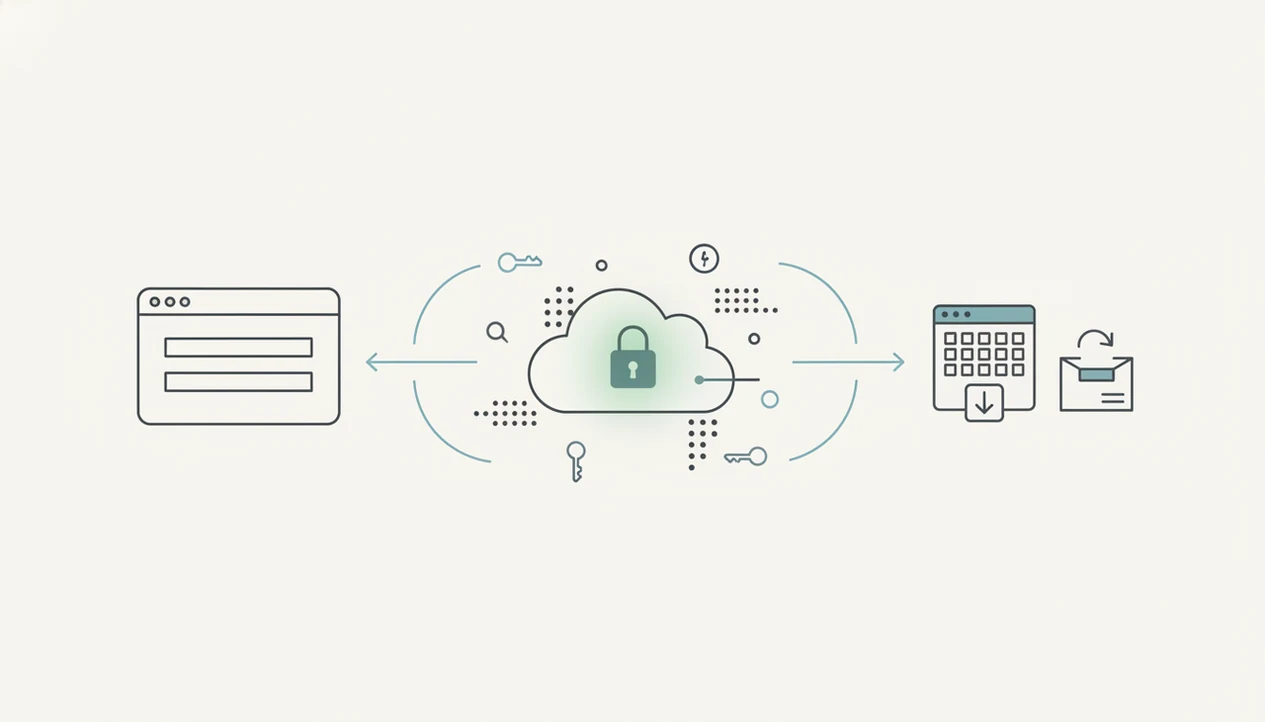
How a safe online form builder works: a respondent loads the form in a browser, enters answers, submits them over an encrypted connection, and the platform stores the response for authorized users. “Data in transit” means data moving across the network. “Data at rest” means data stored in a database, backup, export, inbox, or downloaded file.
After submission, risk shifts. Notifications may go to email. A dashboard may show the response list. Someone may export a CSV, send it to a CRM, or download it before a meeting. That export can become the weakest point if it lands on a personal laptop or an unsecured shared folder.
The parking lot check is real.
An event organizer may review RSVP counts while a vendor texts about table numbers. In that moment, permissions, logs, backups, and retention settings decide who else can see the same information and how long it remains available.
Safe form collection usually works best when the form builder, export destination, and staff habits all follow the same privacy rules.
Online Form Privacy Settings That Reduce Data Risk
Online form privacy improves when settings match the form’s actual job. Keep required fields few, make optional fields truly optional, and avoid sensitive personal data unless the task cannot work without it.
Minimum Data Fields
Start with fields such as “Parent/guardian name,” “Preferred appointment time,” or “Volunteer shift,” then ask what decision each answer supports. If a field does not change scheduling, eligibility, follow-up, payment, or reporting, remove it. For payments, compare your setup against PCI compliant payment form requirements before collecting card-related information.
Consent and Access Controls
Add a short purpose statement, a privacy policy link, and any consent wording needed for your use case. Give collaborators least-privilege access: some people can edit, some can view, and fewer can export.
Spam controls also matter. CAPTCHA alternatives, rate limits, hidden fields, email verification, and moderation can reduce junk entries. Accessibility is part of safe publishing too, because people must understand what they are submitting; an accessible form design checklist helps catch unclear labels and keyboard traps.
Common Safe Online Form Builder Myths About Personal Data
Myth 1: HTTPS makes the whole form safe. HTTPS is necessary, but it only protects the submission while it travels. Safer practice includes storage controls, permissions, exports, and deletion.
Myth 2: Email or spreadsheets are harmless if you avoid credit cards. Names, school details, phone numbers, donor notes, and appointment preferences can still be personal data. A duplicate email column before export is not just messy; it is another copy to manage.
Myth 3: One generic privacy policy covers every form. A newsletter signup, job inquiry, quiz, and event waitlist may need different notices. The safer practice is to explain the specific purpose near the submit button.
Myth 4: AI form builders are automatically safer because they are newer. AI can help draft questions, but it can also add unnecessary fields. Review generated forms before sharing.
Good AI form builder apps for creating forms, surveys, quizzes, and registrations should deliver intuitive drag-and-drop editing and smart templates, not permission to skip privacy review.
AI Secure Form Builder Checks for Forms AI Users
AI can draft a form quickly, but it may ask for more data than the task needs. Review every generated field for data minimization, sensitive-data creep, and vague wording before you publish.
A conditional question tested before publishing can save trouble later. For example, a lead form might ask for “Company size” when a simple “Preferred appointment time” would do. For quizzes, the same issue appears when AI adds student identifiers that are not needed for grading.
For app-first tools such as Forms AI, the practical advantage is speed for non-technical users: template, then tweak; build, preview, share. The caution is separate. Teams should understand whether prompts, form content, and responses are stored, retained, reviewed by humans, or used for model training.
Avoid entering highly sensitive data into AI workflows unless your policies, contracts, and account settings support that use. The AI generated form review checklist is useful before sharing an AI-drafted form link.
Safe Form Collection Exports, Retention, and Deletion
Safe form collection does not end when responses arrive. Exports to spreadsheets, CRMs, email, analytics tools, or downloaded files often create the copies that teams forget to protect.
Limit exports to people who need them. Avoid personal devices, public downloads folders, and broad shared drives. If a small business owner edits an order form from a phone between customer calls, the response list may be safer than a spreadsheet forwarded to three inboxes.
Set a retention schedule. Archive only what you need, anonymize when identifiers are no longer useful, and delete old submissions when the purpose has ended. Long-term storage increases breach and compliance exposure.
IBM reported that the average total cost of a data breach reached USD 4.45 million in 2023: https://www.ibm.com/reports/data-breach. Verizon’s 2023 Data Breach Investigations Report also found that 74% of breaches involved the human element, including errors, misuse, social engineering, and credential theft: https://www.verizon.com/business/resources/reports/dbir/2023/master-guide/.
For many teams, form data retention is the missing safety step because old responses feel invisible until someone exports or shares them again.
When to Get Legal, Security, or Compliance Help
Get professional help before the form goes live when the answers could create legal, safety, or regulatory risk. That is especially true for health details, payment information, children’s records, legal matters, or government-identifying data such as tax IDs or license numbers.
Use escalation as part of publishing, not as cleanup after launch.
- Pause the form draft before collecting regulated or highly sensitive data, even if the form is short.
- Ask qualified counsel which privacy, consumer, health, payment-card, or student-record rules may apply, including GDPR, CCPA, HIPAA, PCI, or education-record obligations.
- Involve security staff when responses will be exported, sent to integrations, routed into shared inboxes, or accessed through APIs.
- Stop publication or disable the form after suspected unauthorized access, phishing, misdirected email, or accidental disclosure until the risk is reviewed.
- Record who approved the form, what retention period applies, and which people or roles may view, edit, or export responses.
A simple approval note can prevent later confusion when staff change, a spreadsheet is found, or a respondent asks what happened to their information.
Limitations
No form builder can guarantee safety by itself. The platform matters, but so do passwords, sharing choices, exports, staff training, and the type of data collected.
- Weak passwords, phishing, misconfigured sharing, and careless exports can still expose responses.
- Compliance features do not automatically make an organization GDPR, CCPA, HIPAA, SOC 2, or PCI compliant.
- PHI, financial data, children’s data, government identifiers, and legal records may require specialized legal, technical, or contractual controls.
- AI helpers can speed up creation, but prompts, logs, retention, and model training may introduce privacy questions.
- Short forms can conflict with consent, verification, warning, and accessibility needs.
- Backups and recovery protect against loss, but they can also extend how long personal data exists.
- Third-party integrations may move response data outside the form builder’s main protections.
For health-related forms, review HIPAA friendly form builder considerations before collecting anything that could be treated as protected health information.
FAQ
What makes an online form builder safe for personal data?
A safe online form builder combines minimal data collection, HTTPS, secure storage, access controls, consent notices, spam protection, retention settings, and careful exports. Safety depends on both the platform and how the organization uses it.
Is HTTPS enough to make an online form safe?
No. HTTPS protects data while it moves from the respondent’s browser to the platform, but it does not manage storage, permissions, exports, retention, or staff behavior.
Are online forms private by default?
Online forms are not automatically private by default. Privacy depends on what fields you ask, what notice you give, where responses are stored, who can access them, and how long they are kept.
What personal data should I collect on a form?
Collect only the personal data needed for the form’s stated purpose. Avoid sensitive fields unless they are essential and you have the right controls for that data.
Do I need consent wording on my online form?
Many forms need a purpose statement, notice, or consent wording, especially when collecting personal data for marketing, health, education, or ongoing contact. The wording should explain what you collect and how it will be used.
Is it safe to store form responses in Google Sheets?
Google Sheets can be appropriate for low-risk uses if access is limited and retention is managed. It becomes risky when links are broadly shared, exports are copied, or old personal data stays there indefinitely.
Are AI form builders safe for collecting responses?
AI form builders can be safe when users review generated questions, limit sensitive fields, and understand how prompts, responses, retention, and training are handled. Forms AI can help non-technical users draft forms quickly, but review is still required.
How long should I keep online form responses?
Keep responses only as long as needed for the form’s purpose, legal obligations, or operational follow-up. Set a retention schedule before publishing the form.
Do online forms need CAPTCHA or spam protection?
Many public forms need spam protection, especially contact, lead, signup, and event forms. Options include CAPTCHA, rate limits, hidden fields, email verification, moderation, and other controls that do not block legitimate users.
Can an online form builder make my forms GDPR compliant?
No form builder can make a form GDPR compliant by itself. Platform features can help, but compliance also depends on lawful basis, notices, data minimization, access controls, retention, processor agreements, and organizational practices.