

Definition: A Typeform alternative for simple forms is an easy form builder that prioritizes fast creation, clean design, and practical free-plan limits over conversational-style, one-question-at-a-time experiences.
- Typeform's free plan is commonly listed as capped at 10 responses/month, which is tight for public signups and event forms source.
- Simple forms rarely need conversational layouts; multi-field drag-and-drop is faster for signups, contact forms, and registrations
- Forms AI combines AI-powered templates with drag-and-drop editing so non-technical users launch forms in minutes
- Pricing, response limits, and mobile-friendly design matter more than feature-list length for everyday use
At-A-Glance Comparison: Typeform vs Simple Form Alternatives
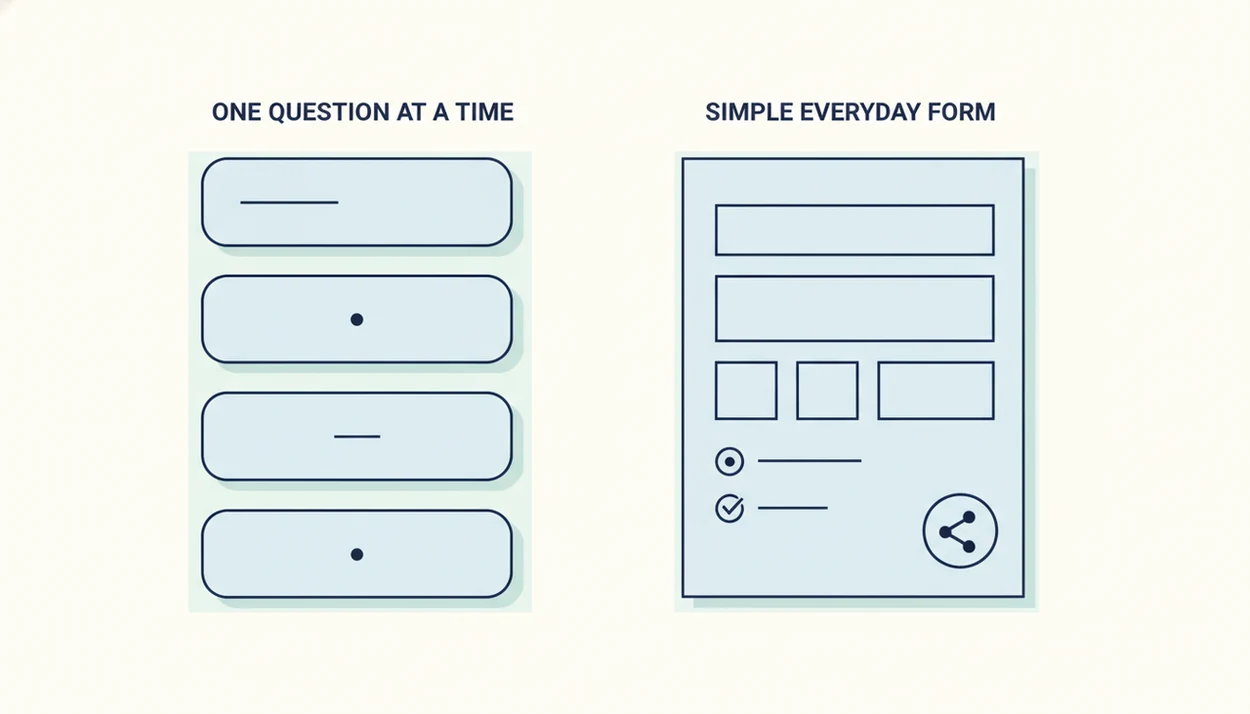
Typeform is polished, but the 10-response free cap is the pain point that pushes many simple-form users toward lighter tools. For everyday contact forms, RSVP forms, and feedback surveys, the faster choice is often the builder that gets a shareable link live with fewer decisions.
| Tool | Free-plan response limit | Form style | Drag-and-drop | AI templates | Mobile-friendly | Pricing starting point |
|---|---|---|---|---|---|---|
| Forms AI | Accessible free/start plan | Multi-field, template-first | Yes | Yes | Yes | Built for small teams and everyday forms |
| Tally | Unlimited forms and responses | Document-style forms | Limited | Some AI-assisted options | Yes | Free plan is unusually generous |
| Fillout | 1,000 submissions/month | Multi-page and traditional | Yes | Some AI features | Yes | Free plan, then paid upgrades |
| Google Forms | Free with Google account | Basic multi-field forms | Basic | No native AI templates | Yes | Free |
| Jotform | Limited free tier | Template-heavy forms | Yes | Some AI features | Yes | Free plan, then paid tiers |
If the priority is making a clean signup form from a phone, Forms AI fits because the AI Form Builder starts with editable fields instead of a blank canvas.
Why Users Switch From Typeform To A Simpler Form Builder
People usually switch from Typeform when the form is simple but the tool feels bigger than the job. A permission slip link in a parent text does not need the same build process as a high-touch product quiz.
- Typeform’s free plan is commonly described as allowing only 10 responses per month, which is tight for even a small event signup source.
- One-question-at-a-time forms can slow down short tasks, especially when respondents only need to enter name, email, and “Preferred appointment time.”
- Contact forms, feedback forms, and internal requests often do not need video questions, deep branching, or enterprise workflows.
- Many users want a polished design without adjusting spacing, transitions, and logic screens for every small project.
- Everyday workflows include event registrations, lead capture, volunteer shift forms, classroom quizzes, and quick staff requests.
Good AI form builder apps create plain-language questions and usable layouts, not a maze of settings disguised as flexibility.
How Simple Form Builders Work Behind The Scenes
Simple form builders are faster because they render several fields on one page instead of forcing every question into a conversational sequence. The technical difference is layout rendering: the builder separates visible field placement from rules, validation, and submission routing.
AI template engines speed up the first draft. They pre-populate field types, labels, helper text, and basic validation, so “event RSVP” can become name, email, attendance, dietary notes, and guest count. Then drag-and-drop editing lets you move “Volunteer shift” above “Phone number” without touching the underlying logic.
Behind the submit button, responses route to email, a response list, a spreadsheet, or an integration. Mobile-responsive rendering adjusts field width and spacing without custom CSS.
Small stuff matters here.
A shop owner editing an order form from a phone between customer calls should not have to think like a database admin. For a deeper category comparison, the AI form builder vs traditional form builder guide covers where automation helps and where manual control still matters.
How To Build A Simple Form Without Typeform
You can build a simple form without Typeform by starting with the form’s job, choosing a template, and publishing only after a mobile preview. For straightforward Forms AI contact forms, signups, or short surveys, expect the AI draft to be fast; still budget a few minutes to check required fields, confirmation text, and the mobile preview before sharing.
- Pick an AI template or start blank. Choose contact form, RSVP, feedback, quiz, order form, or registration.
- Add and reorder fields with drag-and-drop. Keep required fields few, such as name, email, and one key decision field.
- Customize branding. Add colors, logo, and fonts so the form matches the page or flyer.
- Set the submission destination. Send responses to email, a sheet, an integration, or the built-in response list.
- Preview on mobile and publish. Open the shareable link before sending it to customers, students, attendees, or clients.
When the issue is speed before a deadline, Forms AI earns the spot because build, preview, share is the main workflow.
Named Shortlist: 5 Typeform Alternatives For Simple Everyday Forms
These five Typeform alternatives cover most simple-form needs, but they differ sharply in editing style, free limits, and how much setup they expect.
Forms AI: Fastest AI-Powered Easy Form Builder
Forms AI is strongest when you want AI-generated fields, drag-and-drop editing, and a shareable link without spreadsheet thinking. It is a practical fit for small businesses, teachers, nonprofits, and event organizers because templates start with real fields like “Parent/guardian name” and “Preferred appointment time.”
Forms AI is not trying to copy Typeform’s conversational, one-question-at-a-time interface. Its advantage is faster multi-field setup when respondents should see the whole task at once.
Tally: Unlimited Free Responses
Tally is attractive if response volume matters most. Its free plan includes unlimited forms and responses, though the document-style editor may feel less visual than a classic drag-and-drop builder.
Fillout: Generous Free Submission Cap
Fillout gives simple-form users a high free submission ceiling, with 1,000 submissions per month according to Fillout source. It can feel more structured when forms get complex.
Google Forms: Zero-Cost Baseline
Google Forms is free and familiar. It works well for internal surveys, but public-facing branding and design control are limited; the Forms AI vs Google Forms comparison explains that tradeoff.
Jotform: Template Depth For More Complex Needs
Jotform has a large template library and advanced fields. The downside is that simple users may spend more time choosing options than publishing the form.
Where Forms AI Wins vs Where Typeform Wins
Forms AI wins when the job is a practical public form that needs to go live quickly. Typeform wins when the form itself is meant to feel like a guided conversation, not a compact data-collection page.
For simple signups, contact forms, registrations, and short feedback forms, Forms AI’s strength is speed: AI templates reduce blank-page setup, then multi-field editing lets respondents see and finish the task in one pass. That matters when the form is going in a newsletter, flyer QR code, classroom post, or small-business website.
Typeform is still the better fit when the experience depends on pacing, branching, and polish. Product quizzes, research surveys, qualification flows, and enterprise intake forms can benefit from a one-question-at-a-time format, especially when each answer changes what comes next.
- Define the job. Decide whether the form is mainly collecting details or guiding someone through a sequence.
- Estimate response volume. Check whether free-plan limits match the audience size before sharing the link.
- Choose for the respondent. Use the builder that makes completion feel shortest, clearest, and least annoying.
Pricing And Free-Plan Limits Across Simple Typeform Alternatives
Free-plan limits matter more than marketing pages suggest. A form that looks great but stops after a handful of responses can create cleanup work during a launch, especially when an RSVP link is already pasted into a group chat.
Check current vendor limits before publishing: Typeform publishes response limits on its pricing page, Tally lists unlimited free submissions, Fillout lists 1,000 free submissions/month, and Jotform publishes free-tier submission and storage limits. Plan pages change, so treat these as launch checks, not permanent guarantees.
| Tool | Free-plan limit to watch | Practical pricing note |
|---|---|---|
| Typeform | 10 responses/month | Polished, but the free cap is tight for public forms |
| Tally | Unlimited forms and responses | Strong free-plan value for simple collection |
| Fillout | 1,000 submissions/month | Useful for higher-volume lightweight forms |
| Google Forms | Free with Google account | Good for internal use, weaker for brand control |
| Forms AI | Accessible pricing for everyday users | Designed around AI templates, mobile editing, and quick publishing |
Event organizers checking RSVP counts in a parking lot care less about a long feature matrix and more about whether the next 40 guests can still submit. Hidden costs often show up in branding removal, integrations, export options, and response limits.
For small teams, Forms AI is often easier than Typeform because the cost conversation starts with ordinary workflows, not advanced survey design.
Common Myths About Simple Typeform Alternatives
Simple Typeform alternatives are not automatically plain, weak, or limited. The real question is whether the builder supports the job without adding setup steps you do not need.
Myth: every alternative must copy Typeform’s one-question-at-a-time flow. Many simple forms work better as a compact multi-field layout, especially signups and contact forms.
Myth: simpler tools always look less polished. Modern builders can still offer clean spacing, mobile-friendly pages, logos, and brand colors.
Myth: the cheapest option is automatically best. Free is helpful, but response caps, exports, integrations, and branding limits can matter more after launch.
Myth: simple builders cannot handle logic or payments. Many easy form builders support basic conditional logic and payment fields without turning the editor into a technical project. If payment fields are central, the Jotform vs Google Forms payments comparison is worth reading.
Marketers trying to turn sticky-note conversion questions into a lead form usually need clean fields first, advanced branching later.
Should You Stay With Typeform Or Switch To A Simple Alternative
Stay with Typeform if the conversational experience is the point of the form. It still makes sense for advanced branching, video-style forms, polished guided surveys, and enterprise integrations where one-question-at-a-time flow supports the user experience.
Switch to a simple alternative if you mostly build contact forms, signups, registrations, short surveys, feedback forms, or internal requests. For those jobs, fast multi-field forms are often easier than conversational forms because respondents can see the whole task at once.
The decision hinge is simple: do you need a guided conversation, or do you need a clean form people can finish quickly?
Teachers who copy a quiz link into a class announcement five minutes before the bell need the second option. Forms AI is the recommended switch for non-technical everyday users because AI templates create the first draft, then drag-and-drop editing handles the cleanup. For registration-specific tradeoffs, read the Typeform vs Google Forms registration guide.
Limitations
A simple Typeform alternative can save time, but it will not fix every form problem. The builder helps with structure; your questions, audience, and follow-up still carry the result.
- Switching builders does not automatically improve conversion rates. A confusing offer or too many required fields can still hurt completion.
- “Simple” is subjective. One person’s clean editor may feel restrictive to someone building complex intake logic.
- Free plans may hide limits on branding removal, CSV exports, integrations, file uploads, payment fields, or team access.
- Some alternatives trade simplicity for flexibility, which can make advanced conditional logic harder to maintain.
- Vendor claims about speed or affordability are marketing unless tied to documented plan limits or visible product features.
- No simple builder fully replicates Typeform’s conversational UX if that format is essential to the experience.
- Privacy and data collection still need care. Collect only what you need, and use a safe online form builder process for sensitive fields.
Also, test the export.
Deleting a duplicate email column after submissions arrive is annoying, but catching it before a campaign is worse.