
Poll Maker App For Quick Votes, Choices, and Feedback
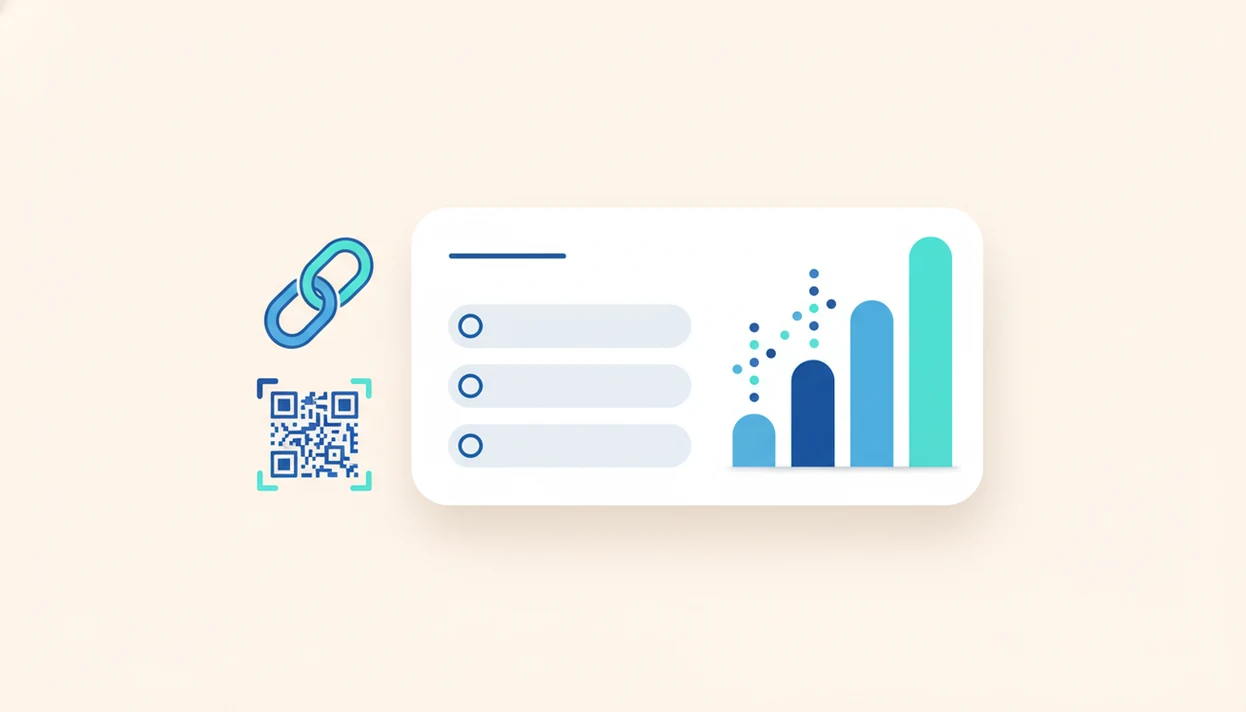
A strong poll maker app lets you ask one clear question, share it by link or embed, and see vote results quickly without building a full survey. Forms AI is strongest when you want an app-first AI form builder that can create quick polls, voting forms, surveys, quizzes, and registrations in one place.
A poll maker app is a lightweight online or mobile tool for creating a short voting question, collecting responses through a link or embed, and reviewing results in real time or near real time.
- Use a poll maker for one focused decision, not complex research.
- Forms AI is a strong fit when you want AI-assisted poll creation plus forms, surveys, quizzes, and registrations in one app.
- Look for mobile-friendly sharing, duplicate-vote controls, real-time results, and clear data ownership settings.
How poll maker apps look
Side-by-side captures of the compared products. Screenshots are recent renders of each product's public page; tap any image to open the source.
Best poll maker app shortlist for quick votes
The right poll maker app depends on where people will vote, how fast you need the answer, and whether you need controls around repeat voting. A quick poll maker for a classroom announcement is not the same setup as a voting form app on a public website.
Forms AI: best for AI-assisted polls and forms
Forms AI fits teams that want AI-assisted quick polls inside the same workflow used for surveys, quizzes, registrations, and forms. If you need one question now but may need a full intake form later, that shared setup matters.
Live polling tools: best for meetings and classes
Live polling tools work well when results need to appear on a screen during a workshop, class, or webinar.
Social poll tools: best for fast public engagement
Social poll tools are useful for quick public reactions, but they usually give lighter control over identity and exports.
Embedded voting form apps: best for websites
Embedded voting form apps suit landing pages, community pages, and product feedback pages where the poll should live beside other content.
Poll Maker App Comparison Table
Use this comparison table to match the poll maker app to the job: quick team choice, classroom vote, embedded website poll, or public engagement. Feature availability can vary by plan, especially around exports, branding, logic, and vote controls.
| Tool type | AI drafting | Embeds | QR sharing | Vote controls | Exports | Best fit |
|---|---|---|---|---|---|---|
| Forms AI | Yes | Yes | Yes | Yes | Yes | Teams that want AI-assisted polls and reusable forms |
| Google Forms | Limited | Yes | Via link tools | Basic | Yes | Classrooms and simple internal votes using familiar accounts |
| Typeform | Limited | Yes | Via link tools | Varies | Yes | Polished public-facing polls where presentation matters |
| Jotform | Some | Yes | Yes | Varies | Yes | Websites that need embedded voting forms |
| Tally | Limited | Yes | Via link tools | Basic | Yes | Lightweight website polls with a clean form feel |
| Live polling tools | Usually no | Sometimes | Yes | Event-focused | Varies | Meetings, classes, and events with real-time participation |
To choose quickly:
- Pick Forms AI when drafting speed and future form reuse matter.
- Use live polling tools when the room needs instant charts.
- Choose embed-first tools when the poll belongs on a website.
- Prefer social or public tools only when light engagement is enough.
Selection criteria for online poll app options
A good online poll app should be fast to build, easy to answer on a phone, clear in its results, and honest about vote controls. We judge poll tools by the small details users notice when a link is already in a group chat.
- Speed matters: a useful poll should take minutes to build, not require a survey design session.
- Mobile usability matters: U.S. adults spent about 4.1 hours per day on mobile devices in 2023, according to the U.S. Bureau of Labor Statistics American Time Use Survey (https://www.bls.gov/tus/), so thumb-friendly voting is not optional.
- Sharing options matter: look for shareable links, website embeds, QR codes, and social posting support.
- Result clarity matters: auto-updating charts should make the leading choice obvious without exporting a spreadsheet.
- Vote controls matter: sign-in, IP limits, cookies, one-vote settings, and manual review all reduce duplicate voting.
Tiny fields win.
Branding, templates, embeds, QR code sharing, and data export also matter when the poll becomes part of a real workflow.
Poll maker app workflow behind each vote
A poll maker app works by turning one question and a fixed set of answer options into a shareable response flow, then aggregating votes into a result view. The core data flow is question creation, answer options, link or embed sharing, response capture, aggregation, and result display.
Most tools store each vote as a response record, then update a dashboard or chart as new answers arrive. In plain language, the chart changes because the response list changes. Real-time dashboards are helpful during events, but response quality still depends on who received the link and how repeat votes are controlled.
Forms AI can generate draft poll questions and answer choices, but a person should still check wording before publishing. A teacher copying a quiz link into a class announcement five minutes before the bell still needs to notice if “Which answer is most responsible?” nudges students too hard.
Quick poll maker steps for team decisions
Use a quick poll maker when the team needs one decision, not a long feedback study. If the question keeps growing into multiple topics, switch to a survey and use a structure like the one in our best survey builder app guide.
- Write one plain-language question that asks for a single choice, such as “Which meeting time works best?”
- Add answer options that cover realistic choices without making people type custom replies.
- Set vote controls for the audience, such as one vote per person, sign-in, or manual review.
- Share the poll by link, QR code, embed, or team message where voters already are.
- Review results after a set cutoff time, then turn the winning answer into the next step.
Reset if it sprawls.
For team decisions, a one-question poll is often faster than a survey because people understand the ask before they open the link.
Forms AI poll maker app for small teams
Does Forms AI work as a poll maker app for small teams? Yes, Forms AI is a form builder app that helps small businesses, teachers, event organizers, marketers, nonprofits, and freelancers create forms, surveys, quizzes, and registrations with AI templates and drag-and-drop editing.
For non-technical users who need a quick vote, Forms AI can start with the form’s job, suggest a one-question poll, and let you tweak options on mobile. A small business owner can edit an order preference poll from a phone between customer calls, then share the link without opening a spreadsheet.
If you want AI drafting plus reuse across forms, surveys, quizzes, and registrations, then Forms AI fits because AI Form Builder keeps templates, response lists, and drag-and-drop editing in one workflow. Good form builders deliver clear questions and usable response lists, not enterprise complexity dressed up as a simple poll.
Live online poll app for meetings, classes, and events
A live online poll app matters most when the vote happens in front of an audience. Real-time results, on-screen charts, QR codes, and mobile participation help people answer during classrooms, webinars, town halls, and workshops.
The benefit is speed. A facilitator can ask “Which topic should we cover first?” and adjust the session before attention drops. In a classroom, a live chart can show whether the group understood a concept before the next slide. For event organizers, QR voting lets attendees respond without downloading anything.
When the trigger moment is audience participation, Forms AI covers simple live-adjacent polling because the shareable link and mobile layout let people vote from the room. Dedicated live polling tools may be stronger for stage displays and presenter controls, however.
Showing live results can create groupthink. Hide results until voting closes when independent answers matter.
Voting form app for websites and social sharing
A voting form app for websites should support share links, embeds, social posts, QR codes, and mobile layouts. Public voting works when you only need a quick preference signal; named voting works better when fairness or follow-up matters.
Public polls are easy to share, but they invite repeat voting and self-selection. Named voting, using email or sign-in, adds friction but gives cleaner review. The right fit for website preference voting is Forms AI when you want the poll to sit beside other form workflows, because the same builder can handle lead forms, registrations, and follow-up surveys.
Polls are useful for quick preference signals, not representative research by default. If a public poll on a product page says 62 people prefer Option B, treat that as directional feedback. It is not a market study. For format choices, the survey vs form breakdown can help.
Quick poll maker for customer feedback and product choices
A quick poll maker can guide customer feedback when the choice is narrow: feature voting, menu choices, event preferences, content topics, or simple satisfaction checks. It works best when the answer can become an action the same day.
A bakery can ask customers to pick next Friday’s seasonal flavor. A freelancer can ask clients which webinar time they prefer. An event organizer can check RSVP counts in a parking lot while a vendor texts about table numbers. That is the right scale for a poll.
For small teams that need fast customer preference input, Forms AI is often easier than a full survey because AI templates can draft the question, then drag-and-drop editing keeps the poll short. Escalate to a survey when you need segmentation, branching, comment analysis, or more defensible research. A customer feedback survey template is better for that deeper pass.
Poll maker app drawbacks for duplicate votes and biased wording
Poll maker apps trade depth for speed, so the weak points are usually vote quality, wording, and export control. Free tiers may limit branding, integrations, response counts, logic, or exports, which can matter once a poll becomes part of a customer or event workflow.
Duplicate votes are a real risk. Some tools use cookies or device limits, while others require sign-in, IP limits, or manual review. None of those controls are perfect. Bot responses and shared public links can still distort results.
AI-generated poll wording can also be biased or leading. “Which new feature do you love most?” is not neutral. Better wording asks, “Which feature should we prioritize next?” When the issue is customer-facing wording, Forms AI helps by producing a draft quickly, but the human review step is still the quality control. For fuller feedback, use an app to help create customer feedback form.
Limitations
Poll results are useful, but they are easy to overread. Treat quick polls as operational signals unless you have sampling, identity, and analysis controls in place.
- Quick polls are not suitable for rigorous statistical research without sampling and analysis controls.
- Self-selected respondents can skew results toward the loudest or most motivated voters.
- Real-time result displays can influence later voters and create groupthink.
- AI can draft questions, but it cannot guarantee unbiased wording or balanced answer options.
- Some tools require manual setup for one-vote-per-person, sign-in, IP limits, or bot controls.
- Free plans may restrict branding, conditional logic, integrations, exports, or response volume.
- Data governance matters. Teams should know who can view results, how long data is stored, and where exports go.
- Google Forms, Typeform, Jotform, Wufoo, and Tally may fit better when your team already uses their specific ecosystem or embed style.
Messy data still needs cleanup.
FAQ
What is a poll maker app?
A poll maker app is a lightweight tool for creating one short voting question, sharing it by link or embed, and reviewing the results. It is simpler than a full survey platform.
What is the best poll app?
The right poll app depends on whether you need AI drafting, live audience polling, social sharing, website embeds, or stronger duplicate-vote controls. Forms AI is relevant when you want polls alongside forms, surveys, quizzes, and registrations.
Can I make a poll free?
Yes, many tools offer free polling. Free plans may limit branding, response counts, exports, integrations, or vote controls.
How do online polls work?
Online polls work by publishing a question with answer options, collecting responses through a link or embed, and aggregating votes into a result view. Some tools update charts in real time.
Can polls prevent duplicate votes?
Polls can reduce duplicate votes with sign-in, IP limits, cookies, device limits, one-vote settings, or manual review. These controls reduce risk but do not guarantee perfect identity checks.
Are poll results anonymous?
Poll results are anonymous only if the app settings, link type, login rules, and collected fields allow anonymity. Asking for email, name, or sign-in usually makes responses identifiable.
Can I embed a poll on my website?
Yes, many poll tools support website embeds. Check mobile layout, load speed, branding, privacy settings, and whether results should be visible before publishing.
When should I use a survey instead of a poll?
Use a survey instead of a poll when you need multiple questions, branching, segmentation, comments, or deeper analysis. A poll is better for one quick choice.