
Customer Feedback Form Prompts For Useful Responses
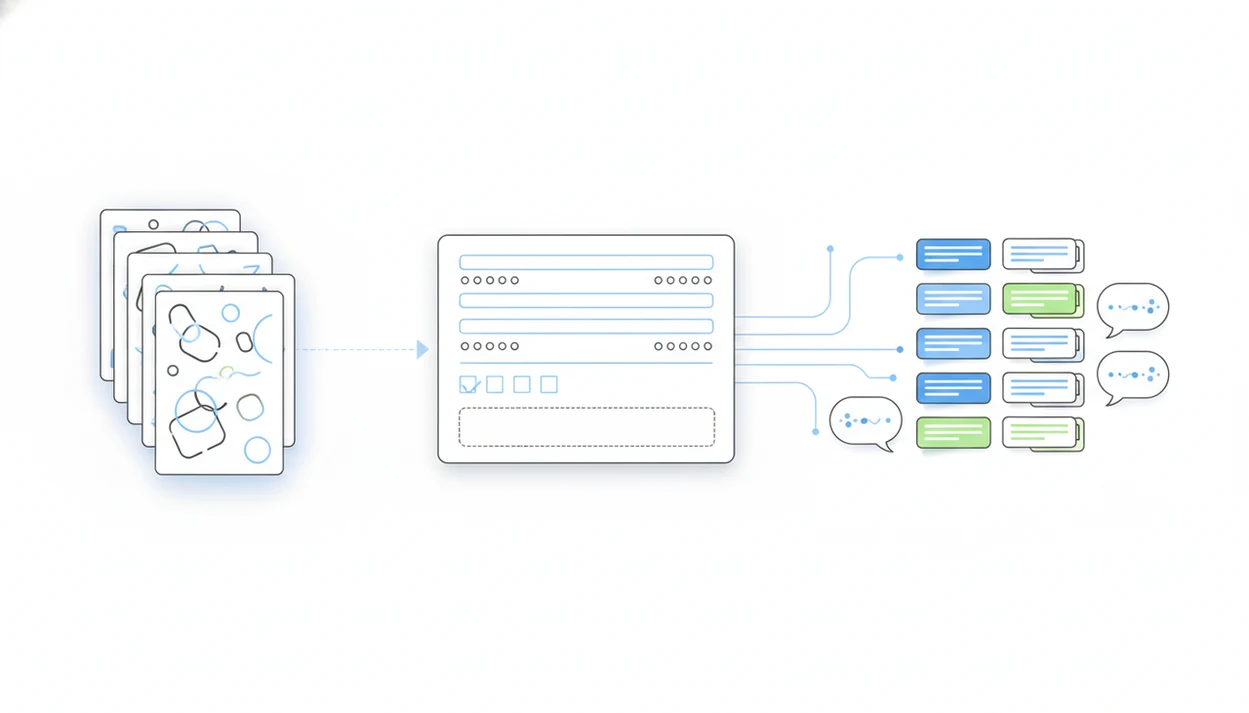
Customer feedback form prompts are copy-ready AI instructions and survey questions that help you collect clearer ratings, comments, and follow-up signals from customers. The best prompts name the audience, touchpoint, goal, question types, and response length so an AI form builder can create a focused form instead of a generic questionnaire.
> Definition: Customer feedback form prompts are the exact AI instructions and customer-facing questions used to generate, structure, and improve a feedback form for a specific customer experience.
TL;DR
- Use scenario-specific prompts for post-purchase, support, onboarding, churn, events, and product feedback instead of one universal survey.
- Mix closed questions such as CSAT, NPS, ratings, and multiple choice with one or two targeted open-ended prompts for context.
- Keep forms short, review AI-generated questions for bias, and add branching logic so customers only see questions that match their experience.
Customer Feedback Form Prompts At A Glance
Customer feedback form prompts are instructions or questions that shape what customers are asked after a specific experience. They can be AI builder prompts, like “Create a 5-question support survey,” or customer-facing feedback survey questions, like “What should we improve first?”
Clarity matters because feedback is scarce. Pew Research Center found that only 3% of U.S. adults say they always respond to survey requests from organizations, while most respond only sometimes, rarely, or never (https://www.pewresearch.org/methods/2019/01/22/public-attitudes-toward-political-and-commercial-surveys/). External customer surveys often see low response rates too, so vague forms waste the few answers you get.
Short wins.
A useful prompt names the audience, goal, touchpoint, question types, routing logic, and completion length. For example, a post-purchase buyer survey needs different wording than a cancellation form. For small teams, scenario-based prompts are often easier than question banks because each form starts with the customer’s actual moment.
How Customer Feedback Form Prompts Work In AI Form Builders
Customer feedback form prompts work by turning a natural-language instruction into form fields, question wording, scales, layout, and sometimes conditional logic. The AI parses the prompt for entities such as audience, product, timing, channel, tone, and survey goal, then maps those details into a form structure.
In plain terms, the prompt tells the builder what job the form has.
If you write “Create a mobile-friendly survey for first-time buyers after delivery,” the AI can infer a CSAT rating, delivery questions, a short comment field, and a follow-up permission field. But the output still needs human review. Check for leading wording, repeated questions, unclear scale labels, accessibility issues, brand fit, and privacy concerns.
Tools like Forms AI can help non-technical users create surveys from prompts, then adjust fields with drag-and-drop editing. A good AI form builder app for creating forms, surveys, quizzes, and registrations with intuitive drag-and-drop and smart templates should deliver faster first drafts, not judgment-free publishing.
5 Customer Feedback Template Ingredients Before You Start
Prepare five inputs before asking AI to create a customer feedback template. These inputs keep the form short, relevant, and easier to complete on a phone.
Prompt input checklist
- Audience: Name who will answer, such as first-time buyers, support users, trial accounts, or event attendees.
- Touchpoint: Identify the moment, such as post-purchase, after a support ticket, after onboarding, or after cancellation.
- Goal: Decide what you need next: reduce friction, improve support, rank feature requests, or recover unhappy customers.
- Question mix: Choose ratings, CSAT, NPS, multiple choice, and one or two open-ended prompts.
- Follow-up action: State what happens next, such as a support reply, product tag, refund review, or testimonial request.
A reusable template should include routing logic and clear scale labels. Don’t ask every customer every possible question. Since external surveys often get ignored, the form should feel like a two-minute favor, not homework after a receipt email.
How To Use AI Customer Survey Prompts In Forms AI
Use AI customer survey prompts by starting with the form’s job, then editing the generated draft before sending it. In Forms AI, that means prompt, preview, adjust fields, test the shareable link, and review the response list.
- Paste a scenario prompt into the AI form builder, including audience, touchpoint, goal, question count, and desired length.
- Review the generated questions for bias, repeated wording, missing answer choices, and unclear scale labels.
- Edit the draft with drag-and-drop fields, keeping required fields few and open-text boxes focused.
- Test the form on a phone before publishing, especially if customers will answer from a receipt link or support email.
- Publish the shareable link, embed it where needed, and monitor early responses for confusing patterns.
- Analyze ratings, comments, tags, and follow-up requests before changing the template.
If you are choosing a builder, paste the same prompt into Forms AI, Typeform, Google Forms, and SurveyMonkey, then compare editability, mobile preview, branching logic, and export cleanup before committing.
A shop owner editing an order form from a phone between customer calls does not need a spreadsheet project. They need a clear draft they can fix fast. If you want the broader prompt-writing pattern, the same structure applies to AI form prompts for other form types.
8 Copy-Ready Customer Feedback Form Prompts By Scenario
Use these customer feedback form prompts as paste-ready starting points. Replace the bracketed details before publishing.
Post-purchase feedback prompt
“Create a 5-question mobile-friendly post-purchase survey for [customer type] who bought [product]. Include CSAT, delivery rating, purchase friction, ‘What almost stopped you from buying?’, and permission for follow-up.”
Support ticket feedback prompt
“Create a 4-question survey for customers after a resolved support ticket. Include satisfaction, resolution speed, agent clarity, and one optional comment: ‘What could we have handled better?’”
Onboarding feedback prompt
“Create a 6-question onboarding survey for new [product/service] users after week one. Include ease rating, confusing step, missing guidance, confidence level, and one improvement priority.”
Cancellation feedback prompt
“Create a 5-question cancellation survey for customers leaving [subscription]. Include reason choices, price fit, product fit, likelihood to return, and ‘What would have changed your decision?’”
Other useful scenarios: “Create a free-trial survey for inactive users,” “Create a product feature survey for beta testers,” “Create an event/webinar feedback form with rating and comment fields,” and “Create a relationship survey with NPS, reason, and follow-up permission.”
Feedback Survey Questions That Produce Actionable Comments
Feedback survey questions work better when ratings show the signal and open-ended prompts explain the reason. Research on patient-experience surveys shows that combining scores with narrative comments can reveal specific improvement opportunities that closed questions miss (https://qualitysafety.bmj.com/content/26/3/204).
| Question type | Use it for | Example |
|---|---|---|
| Closed question | Fast segmentation | “Which product did you buy?” |
| Rating scale | Measurable sentiment | “Rate delivery from 1 to 5.” |
| Multiple choice | Known reasons | “What was the main reason for contacting support?” |
| CSAT | Satisfaction with one experience | “How satisfied were you with today’s support?” |
| NPS | Relationship-level referral signal | “How likely are you to recommend us?” |
| Open-ended prompt | Context and next steps | “What should we improve first?” |
Use clear scale labels, not bare numbers. “1 = very difficult” and “5 = very easy” reduces guessing. Add optional open-text fields after key ratings, especially questions like “What almost stopped you from buying?” One sharp comment box beats five vague ones.
Customer Feedback Form Prompt Formula For Better AI Output
“How do I write a customer feedback form prompt that gets useful AI output?” Use a fill-in-the-blank formula with exact constraints.
Formula: “Create a [question count]-question [mobile-friendly/desktop] feedback form for [audience] at [business type] after [touchpoint]. The goal is to [goal]. Include [question types], use a [tone] tone, add logic for [customer groups], keep completion under [time], and include one optional follow-up field.”
Filled example: “Create a 5-question mobile-friendly feedback form for first-time ecommerce buyers after delivery. The goal is to find purchase friction and delivery issues. Include one CSAT question, one delivery rating, one multiple-choice reason question, one open-ended improvement prompt, and one optional email field. Use plain language and keep completion under two minutes.”
Exact constraints prevent generic AI survey questions because the builder knows what to include, what to skip, and how long the form should feel. If you are comparing tool categories, an app that generates forms from prompts should still let you edit every generated field.
Common Mistakes When Writing Customer Feedback Form Prompts
The most common mistakes make the form easier for the sender, not clearer for the customer. Fix them before publishing so the AI draft does not turn into biased, hard-to-answer feedback.
- Remove leading language that hints at the answer you want. “How much did you love delivery?” is not the same as “How satisfied were you with delivery?”
- Label every numeric scale so customers interpret scores the same way. A bare 1–5 rating can mean speed, quality, ease, or emotion unless the endpoints are named.
- Limit required open-text fields, especially on mobile. One focused comment box after a key rating usually gives better context than several mandatory essays.
- Specify the audience, touchpoint, and follow-up action in the AI prompt. “Make a customer survey” creates generic questions; “for first-time buyers after delivery, flag low scores for support follow-up” gives the builder direction.
- Submit a test response before sending the link to real customers. Check the phone layout, required fields, confirmation message, routing, and exported response columns.
A quick test catches the awkward parts customers will not bother explaining.
4 Common Myths About Customer Feedback Form Prompts
- Myth 1: Longer forms always produce better insights. A Cochrane methodology review found that shorter questionnaires and more relevant questions can improve response rates, so extra questions can reduce useful data (https://doi.org/10.1002/14651858.MR000008.pub4).
- Myth 2: AI-generated questions are ready to send. AI drafts often need edits for tone, repetition, bias, accessibility, and the way your customers actually talk.
- Myth 3: One universal customer feedback template works everywhere. A post-event survey after stacked chairs is not the same as a churn survey after a billing problem.
- Myth 4: More open-ended questions always mean deeper insight. Too many comment boxes lead to skipped answers, one-word replies, or customers closing the tab.
- Myth 5: Scores explain themselves. NPS and CSAT need a reason prompt, theme tags, or follow-up notes before they become decisions.
For most small teams, a short scenario form is often better than a long master survey because it respects the customer’s moment and gives staff cleaner next steps.
Smart Routing And Follow-Up Logic For Customer Feedback Templates
Smart routing makes a customer feedback template more useful by showing different follow-up questions based on the first answer. Promoters, passives, detractors, happy customers, and frustrated customers should not all see the same page.
For example, a 9 or 10 NPS score can trigger: “What would you tell a friend about us?” A 0 to 6 can trigger: “What was the main reason for your score?” A low delivery rating can show choices like late package, damaged item, wrong item, or unclear tracking.
Name the problem.
Tag responses by theme: pricing, support, onboarding, bugs, delivery, product quality, or missing feature. Then connect those tags to simple next steps, such as a follow-up email, CRM note, support ticket, or weekly product review list. An event organizer checking RSVP counts in a parking lot while a vendor texts about table numbers needs clear signals, not a hundred-row export. A mobile form builder app helps most when those signals are visible before the next task interrupts.
Limitations
Customer feedback prompts can speed up survey creation, but they cannot solve every feedback problem. Treat AI output as a draft, then review it against your product, audience, and response goals.
- AI prompts cannot replace human judgment about the right questions for a specific product, service, or customer group.
- Good prompts cannot fix bad timing, low-intent audiences, survey fatigue, or over-surveying.
- Feedback forms can overrepresent very happy or very unhappy customers.
- AI-generated wording may be leading, repetitive, inaccessible, off-brand, or poorly localized.
- Quantitative scores such as NPS and CSAT can be misleading without open-text analysis.
- Manual review is essential for regulatory language, accessibility, privacy, and multilingual tone.
- Some customers will not answer honestly if they think a named employee will read the response.
- Optional contact fields can reduce anonymity, but they are useful when support follow-up matters.
Keep the required fields few. If the response list needs cleanup, such as deleting a duplicate email column before export, fix the template before sending the next version.
FAQ
What are feedback form prompts?
Feedback form prompts are AI instructions and customer-facing questions used to create, structure, and improve a feedback form. They help define what customers should rate, explain, or request next.
What should a customer feedback form ask?
A customer feedback form should ask about satisfaction, friction, reasons, improvement priorities, and permission for follow-up. It should focus on the specific customer experience being reviewed.
How many questions should a customer feedback form include?
Most customer feedback forms should include three to seven questions. The right number depends on the touchpoint, audience, and how much effort the customer has already given.
Are AI survey prompts reliable?
AI survey prompts are useful starting points, but they need review for bias, tone, repetition, and relevance. Tools like Forms AI can generate drafts, but the sender should edit before publishing.
What is a CSAT question?
A CSAT question asks customers to rate satisfaction with a specific experience. It is commonly used after support, purchase, onboarding, or delivery.
What is an NPS question?
An NPS question asks how likely a customer is to recommend a product, service, or company. It is usually followed by a reason prompt.
Should customer feedback forms be anonymous?
Anonymous forms can encourage honesty when customers fear judgment or consequences. Contact details are useful when a business needs to resolve a support issue or follow up.
How do I avoid biased survey questions?
Use neutral wording, balanced answer choices, clear scale labels, and avoid language that suggests the desired answer. Review AI-generated questions before sharing the form.
Can one customer feedback template fit all customers?
One customer feedback template rarely fits every journey stage. Adapt the template by scenario, such as post-purchase, support, onboarding, cancellation, or event feedback.